
If you have ever asked what is CRM software, you are not alone. Customer relationship management software is one of the most searched business technology topics and one of the most misunderstood. At its core, what is CRM software comes down to a simple answer: it is the system that tracks every interaction between your business and your customers, from the first inquiry through the final transaction and beyond.
This guide explains what is CRM software in plain terms, how it works, what it does for businesses of every size, and how to choose the right platform for your needs in 2026.

What Is CRM Software? The Complete Definition
CRM stands for Customer Relationship Management. What is CRM software in its simplest form? It is a platform that centralizes all information about your contacts, leads, and customers and automates the workflows that turn prospects into paying clients and clients into repeat buyers.
Before CRM software, businesses tracked customer relationships through spreadsheets, email inboxes, and memory. Sales teams forgot to follow up. Marketing had no visibility into which leads converted. Customer service couldn’t see a client’s history before picking up the phone. CRM software solves all of these problems by creating a single source of truth for every customer relationship in the business.
Understanding what is CRM software means understanding three things it does simultaneously: it stores data, it automates processes, and it gives everyone in the business visibility into the customer relationship, regardless of who last spoke to the customer or when.
This guide covers CRM software across every industry. If you specifically want the real estate version of this answer, including what an agent’s contact record holds that a generic CRM never asks for, see our companion guide to how a CRM works in real estate.
How Does CRM Software Work?
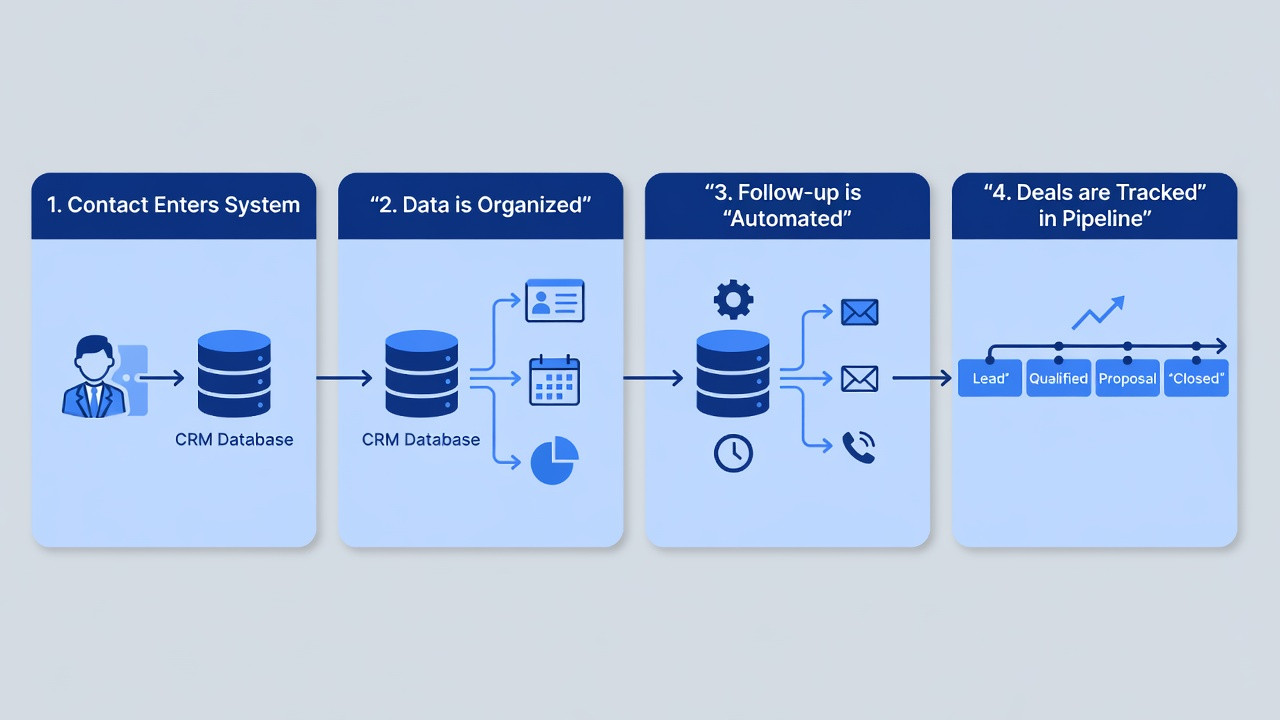
The best way to understand what is CRM software in practice is to follow a customer from first contact through closed deal.
Contact capture: A potential customer fills out a form on your website, sends an email inquiry, or calls your business. CRM software captures that contact automatically, no manual data entry required. The lead is created in the system with their name, contact information, and the source of their inquiry.
Automated follow-up: The moment the lead is captured, the CRM software triggers an automated response, an email, an SMS, or a task assigned to a sales rep to call within the hour. No lead falls through the cracks because a rep was busy or forgot to check their email.
Pipeline tracking: As the relationship progresses, the CRM software tracks every touchpoint, calls logged, emails sent, meetings scheduled, proposals sent. The lead moves through pipeline stages and every team member can see exactly where every deal stands at any moment.
Deal closure and beyond: When the deal closes, CRM software transitions the contact from prospect to customer, triggering onboarding sequences, scheduling check-ins, and tracking renewal dates. The relationship does not end at the sale; CRM software ensures the post-sale experience is as managed and deliberate as the pre-sale one.
What Does CRM Software Do? Key Features Explained
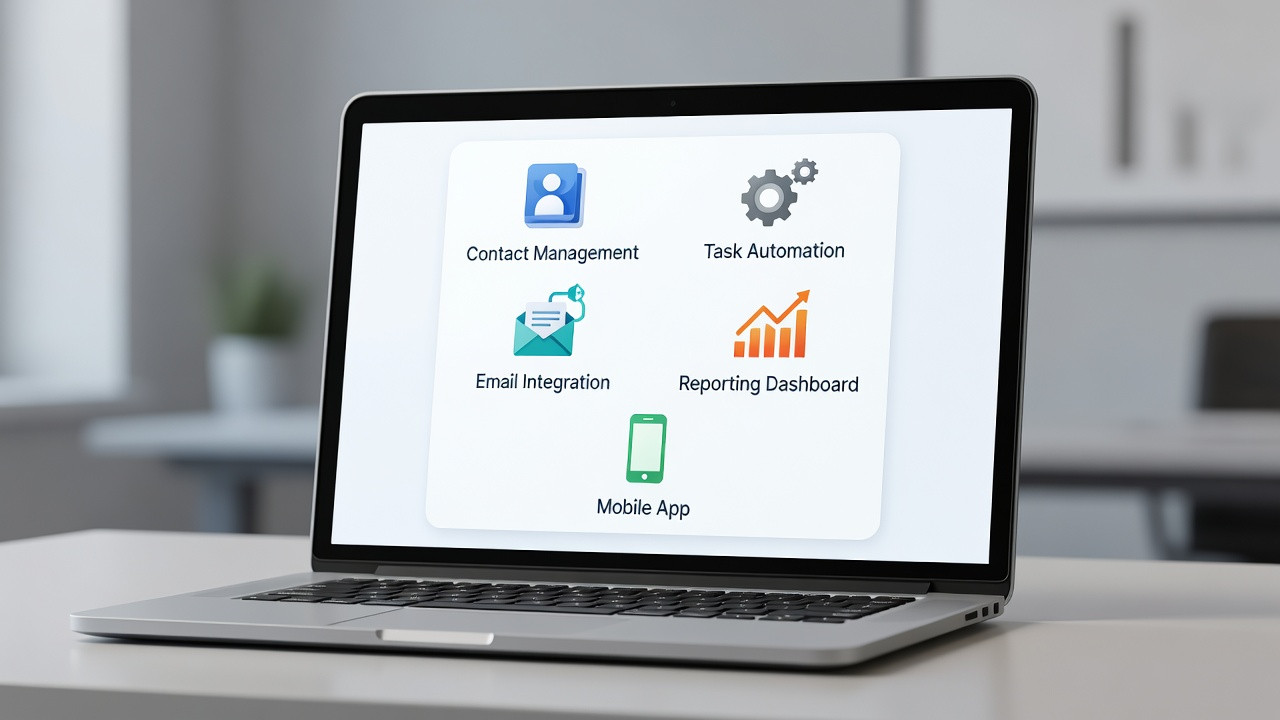
Contact and company management — Every contact in your CRM software has a complete profile: name, role, company, all past communications, notes from every call, documents shared, and deals in progress. For B2B businesses, CRM software links contacts to their companies so you can see every person at an account, their roles, and who owns each relationship.
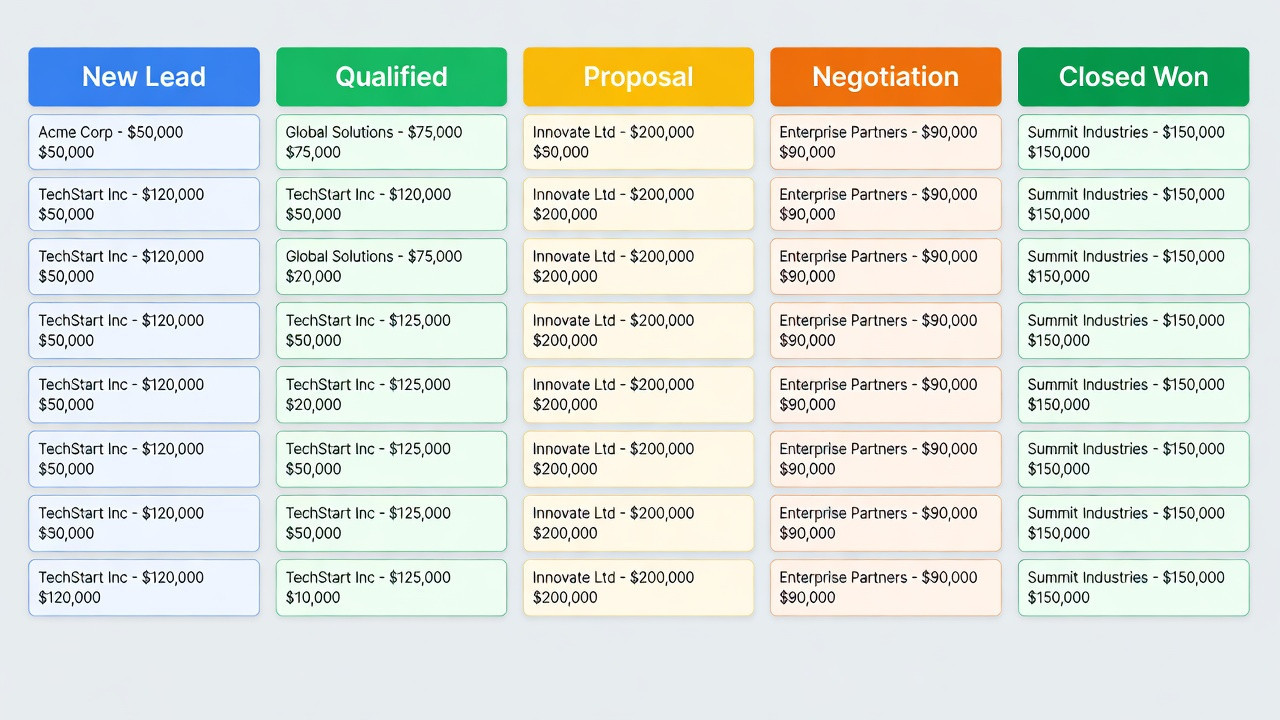
Sales pipeline management — CRM software gives sales teams a visual pipeline showing every active deal, its stage, its value, and its close probability. Managers can forecast revenue accurately, identify bottlenecks, and coach reps on deals that are stalling, all from a single pipeline view.
Task and activity automation — When a lead enters a specific pipeline stage, CRM software can automatically create a follow-up task, send a templated email, schedule a reminder call, or enroll the contact in a drip sequence. The best CRM software replaces dozens of manual reminders with a single automated workflow.
Email and communication integration — CRM software integrates with Gmail, Outlook, and business phone systems so every email sent and received, every call made and logged, is captured automatically in the contact’s record without the rep needing to copy or paste anything.
Reporting and analytics — CRM software generates reports on the metrics that matter: lead conversion rate, average deal size, sales cycle length, rep performance, and pipeline velocity. These reports turn raw data into actionable intelligence, showing exactly where revenue is being won and lost.
What Is CRM Software Used For? Real Business Applications
The answer to what is CRM software used for depends on the team using it, but every department benefits from a shared customer data platform.
Sales teams use CRM software to manage their pipelines, track deal progress, and automate follow-up at every stage of the sales process. CRM software eliminates the administrative overhead that takes salespeople off the phone and puts them in front of the data that helps them close faster.
Marketing teams use CRM software to segment contacts by behavior, send targeted campaigns, and measure which marketing activities produce the highest quality leads. When marketing and sales share a CRM, both teams can see the full journey from first click to closed deal and align their efforts on what actually converts.
Customer service teams use CRM software to see a customer’s complete history before picking up the phone. Every past purchase, every support ticket, every complaint and resolution is visible, so service reps can provide context-aware help without asking customers to repeat themselves.
Types of CRM Software in 2026
Operational CRM software focuses on automating customer-facing processes: lead capture, sales automation, and customer service workflows. Operational CRM software is what most small and medium businesses think of when they ask what is CRM software. Examples include Salesforce, HubSpot CRM, and Pipedrive.
Analytical CRM software focuses on using customer data to drive decisions: segmentation, lifetime value modeling, churn prediction, and campaign attribution. Analytical CRM software is most valuable for marketing teams and data-driven enterprises.
Collaborative CRM software focuses on sharing customer data across departments, connecting sales, marketing, and service teams so everyone works from the same customer record. Collaborative CRM software is most valuable for organizations where multiple teams touch the same customer relationship.
Industry-specific CRM software is built for the workflows of a particular vertical: real estate, healthcare, financial services, or legal. Industry CRM software comes pre-loaded with the pipeline stages, automation templates, and compliance features that generic CRMs require months of customization to replicate. For real estate specifically, see our guide to the Best CRM for Real Estate Agents in 2026.
Top CRM Software Platforms in 2026
HubSpot CRM is the most popular free CRM software in the world. HubSpot’s free tier includes unlimited contacts, deal pipeline, email integration, and basic automation. It scales to a full marketing and sales suite as businesses grow. Best for small and medium businesses starting with CRM software for the first time.
Salesforce is the enterprise standard. Salesforce CRM software is the most customizable, most integrated, and most powerful CRM platform available. Best for enterprise businesses and fast-growing companies that need CRM software that scales to any workflow.
Pipedrive is CRM software built by salespeople for salespeople. Pipedrive’s visual pipeline and activity-based selling approach make it the most intuitive option for teams that want fast adoption and a minimal learning curve. Best for sales-led businesses that want a simple, pipeline-first CRM.
Zoho CRM delivers the best value enterprise-grade CRM software experience. Zoho CRM includes AI-powered lead scoring, workflow automation, omnichannel communication, and deep analytics at a fraction of Salesforce’s price. Best for mid-market businesses that want enterprise CRM software features without enterprise pricing.
How to Choose the Right CRM Software for Your Business
After understanding what is CRM software, the next question is which platform is right for your business. The answer depends on three factors: team size, sales process complexity, and budget.
For solo operators and small teams with straightforward sales processes, HubSpot’s free CRM software is the fastest starting point. It requires no implementation budget and covers the core workflows that define what is CRM software for most small businesses: contact management, deal tracking, and basic follow-up automation.
For growing teams with multiple sales reps and a defined pipeline, Pipedrive or Zoho CRM offer the right balance of power and simplicity. Both deliver the full functionality of what is CRM software at the professional level without the implementation overhead of enterprise platforms.
For industry-specific needs, start with a purpose-built platform. If you are in real estate, the general-purpose CRM software answer is less useful than a platform built specifically for agent workflows. Read our guide on AI-powered CRMs built for agents for a full breakdown of the best platforms for that vertical.
Final Thoughts
The question what is CRM software has a different answer depending on who you ask. Salespeople see it as a pipeline tool, marketers see it as a segmentation platform, and customer service sees it as a history database. All three are right. CRM software is the system that makes every customer interaction informed, consistent, and measurable, and in 2026, it is no longer optional for any business that wants to grow deliberately rather than accidentally.
Start with the platform that matches your current team size and workflow. Upgrade as your needs grow. The most important thing about what is CRM software is not the platform you pick first, but the habit of using it consistently from day one.
